


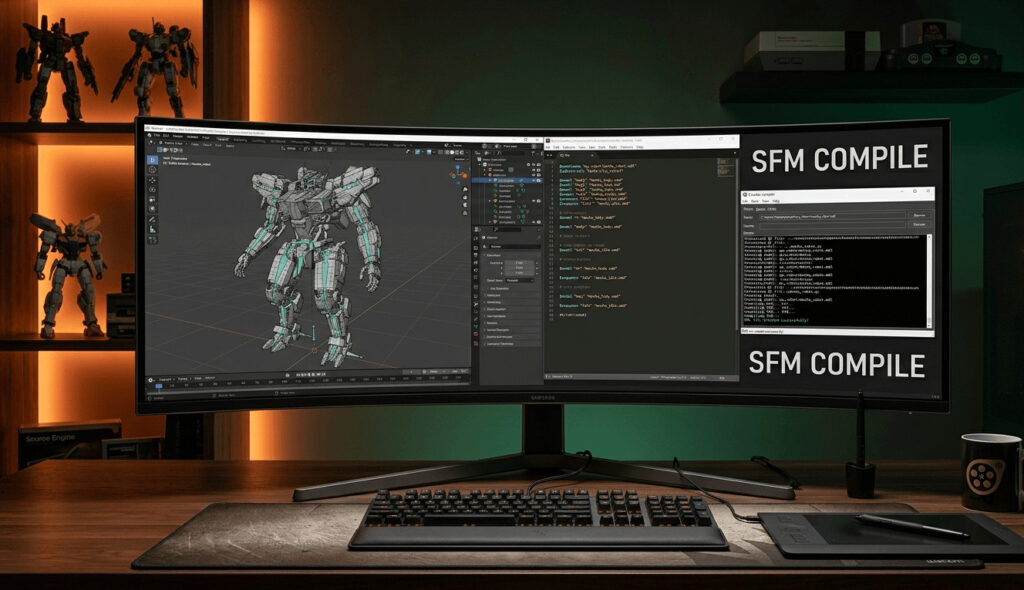
If you’ve recently started using Source Filmmaker (SFM), you’ve probably come across the term SFM Compile. Many beginners find the compilation process confusing, but it’s an essential part of creating custom models, maps, animations, and other assets for SFM.
In this guide, we’ll explain what SFM Compile is, why it’s important, and how you can compile your files successfully.
What Is SFM Compile?
SFM Compile is the process of converting source files into formats that Source Filmmaker can read and use. Raw assets such as 3D models, textures, animations, and maps cannot be used directly in SFM. They must first be compiled into the appropriate Valve Source Engine formats.

Think of compilation as translating your project into a language that SFM understands.
Why Is Compiling Important?
Compiling serves several important purposes:
- Converts raw files into Source Engine-compatible formats.
- Optimizes assets for better performance.
- Detects and reports errors before the asset is used.
- Ensures textures, models, and animations work correctly in SFM.
- Reduces the chances of crashes or missing assets.
Without proper compilation, your custom content may fail to load or display incorrectly.
Files Commonly Compiled in SFM
Depending on your project, you may compile:
- 3D character models
- Props and environmental objects
- Maps
- Animations
- Materials and textures
- Particle effects
Each asset type uses different compilation tools provided by the Source SDK.
Tools Used for SFM Compilation
Several tools are commonly used during the compilation process:
1. Crowbar
Crowbar is one of the most popular tools for compiling and decompiling Source Engine models. It provides an easy-to-use interface and supports many Source Engine games.
2. StudioMDL
StudioMDL is Valve’s official compiler used to convert model source files into MDL format.
3. VTEX
VTEX compiles texture files into VTF (Valve Texture Format), making them usable inside SFM.
4. VBSP, VVIS, and VRAD
These tools compile maps created in Hammer Editor by generating geometry, visibility information, and lighting.
Basic SFM Compile Workflow
A typical SFM compilation process looks like this:
- Create your model or asset in a 3D application.
- Export the source files.
- Prepare the required configuration files.
- Compile the asset using the appropriate Source Engine tool.
- Fix any compilation errors.
- Test the compiled asset inside SFM.
- Repeat the process if changes are needed.
This workflow ensures your project is compatible with the Source Engine.
Common SFM Compile Errors
Even experienced creators encounter compilation issues. Some common problems include:
Missing Textures
Incorrect material paths can result in purple-and-black checkerboard textures.
Model Won’t Load
This usually happens due to incorrect QC file settings or missing compiled files.
Missing Bones
Animation errors often occur when the skeleton doesn’t match the model.
Compile Failed
Syntax errors in QC files or incorrect file paths can stop the compiler entirely.
Reading compiler logs carefully is often the fastest way to identify the problem.
Tips for Successful SFM Compilation
Follow these best practices:
- Organize project folders clearly.
- Use consistent file names.
- Double-check texture paths.
- Keep backup copies of source files.
- Test assets frequently during development.
- Review compiler logs after every compile.
- Update your tools when new versions become available.
Small habits like these can save hours of troubleshooting.
Benefits of Learning SFM Compile
Mastering the compilation process offers several advantages:
- Create custom characters and props.
- Import assets from other 3D software.
- Build unique cinematic scenes.
- Customize maps and environments.
- Improve project quality and performance.
- Gain a deeper understanding of the Source Engine.
Whether you’re creating short films, game cinematics, or animations, compilation is a valuable skill.
Final Thoughts
SFM Compile is a fundamental part of working with Source Filmmaker. Although the process may seem technical at first, understanding how compilation works will help you create better models, maps, and animations with fewer errors.
By learning the tools, following a structured workflow, and carefully reviewing compile logs, you’ll be able to build custom SFM content with confidence. Whether you’re a hobbyist or an experienced creator, mastering SFM Compile is an investment that will improve every project you create.
Frequently Asked Questions About SFM Compile
1. What is SFM Compile?
SFM Compile is the process of converting raw Source Filmmaker assets, such as models, textures, animations, and maps, into formats that can be used by the Source Engine. It allows creators to import and use custom content inside Source Filmmaker.
2. Why do I need to compile files for SFM?
Files created in 3D software or editing programs are not directly compatible with SFM. Compilation converts these files into Source Engine formats, making them optimized and ready for use in animations and scenes.
3. What tools are used for SFM Compile?
Common tools used for SFM compilation include Crowbar, StudioMDL, VTEX, and Source SDK compiling tools such as VBSP, VVIS, and VRAD for maps.
4. Can beginners learn SFM Compile?
Yes. Beginners can learn SFM Compile with practice and tutorials. Starting with simple models and learning basic QC files, file paths, and compiler settings is a good way to build skills.
Also Read: What Is Brasssmile Com? A Simple Guide for Beginners
5. What is a QC file in SFM Compile?
A QC file is a script file that provides instructions to the Source Engine compiler. It contains information about the model name, textures, animations, skeleton, and other settings required to create a compiled model.
6. Why does my SFM model show missing textures?
Missing textures usually happen because of incorrect material paths, missing VTF/VMT files, or improperly organized project folders. Checking texture locations and file names can usually solve the issue.
7. Why does my SFM Compile fail?
Compilation failures can occur because of incorrect QC file settings, missing files, invalid paths, unsupported model data, or errors in the source files. Checking the compile log helps identify the exact problem.
8. Can I compile custom characters for Source Filmmaker?
Yes. Custom characters can be compiled for SFM if they have properly prepared models, textures, skeletons, and animation data.
9. What is Crowbar used for in SFM Compile?
Crowbar is a popular Source Engine tool used to compile and decompile models. It provides an easier interface for managing model compilation tasks compared to running command-line tools manually.
10. How long does SFM Compile take?
Compilation time depends on the size and complexity of the asset. Simple models may compile within seconds, while detailed characters, maps, or large environments may take several minutes.
11. Can I use Blender models in SFM?
Yes. Blender models can be exported and prepared for Source Filmmaker, but they need to be converted into Source Engine-compatible formats before they can be used.
12. How can I avoid SFM Compile errors?
To reduce errors:
- Keep files organized.
- Use correct naming conventions.
- Check all texture paths.
- Validate QC files.
- Review compile logs.
- Test assets regularly inside SFM.
13. Is SFM Compile required for every SFM project?
No. If you are only using existing SFM assets, you may not need to compile anything. Compilation is mainly required when creating or adding custom content.
14. What file formats does SFM use after compilation?
Compiled SFM models typically use Source Engine formats such as MDL, VTX, VVD, and PHY files, while textures are commonly stored as VTF and VMT files.
15. Where can I learn more about SFM Compile?
You can learn more through Source Filmmaker communities, tutorials, documentation, and creator forums where users share workflows and troubleshooting techniques.